

Table of Contents
If you are a newbie who wishes to create a website, you might be having a lot of questions in mind. This guide is for you! After reading this guide, you will have a clear idea about how you should go about creating your website.
First things first! Your first step towards hosting a website is selecting a web hosting company. If you have registered a domain, good! Otherwise your first step would be registering a domain name and then selecting the appropriate web hosting company.
What is web hosting?

A web hosting service provider allows you to post your website online through the use of servers. Companies utilize servers (hosted services) to store customers’ webpages and assign IP addresses to every site it hosts, making them accessible on the internet. Essentially, without a host, your webpage won’t be visible to anyone.
The web hosting company will provide web space for your website (through web servers). Your website will be stored in the server and all the technologies and services will be added to your website so that it is visible on the internet.
The addon services provided by the web hosting company generally include technical support, data backup, web application firewall, SEO services, email services, domain name registration, malware scanning and protection, access to tools and applications.
What you need to host a website
To host your website, you’ll need a few essential ingredients:
Domain name: This is your website’s address on the internet. Choose something memorable, relevant to your webpage’s purpose and ideally, easy to spell and type.
Web hosting: A web hosting service provides the storage space and computing power to run your webpage’s and make it accessible to everyone on the internet. Choose a reliable host with good uptime and customer support.
Website content: Craft engaging content that resonates with your target audience and keeps them coming back for more. It could be informative blog posts, eye-catching product pages or a portfolio of your stunning artwork.
Website design: Choose a design that aligns with your brand and content, prioritizing user-friendliness and intuitive navigation.
Select Your Web Hosting Server
The static HTML websites can be hosted on any type of web servers; but when it comes to web applications / CMS, you will come across two types of web hosting platforms. On the basis of your hosting requirements and your preference, you can select from:
Linux Web Hosting : The Linux hosting platform enables you to run scripts created in PHP, Python, Perl and other UNIX-based languages. It usually supports the PostgreSQL and MySQL databases. Linux is the most commonly used hosting platform.
Windows Hosting : The Windows hosting platform enables you to run ASP scripts through .NET and other Microsoft technologies. It supports the Microsoft SQL server and Access database.
Select Your Web Hosting Package
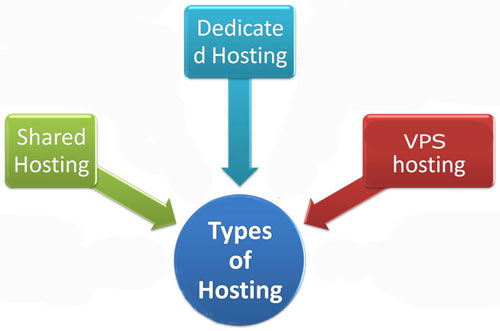
You will have to choose from the standard hosting solutions mentioned below:
Shared Hosting : In shared hosting, you share the physical server with the other owners. However, you get your own separate hosting account that is secured with your login credentials. Shared hosting is the most affordable hosting option as the cost of the server is shared among the other website owners as well.
VPS (Virtual Private Server) Hosting : In VPS hosting, each website is stored on a powerful server that is divided into many virtual components. Every server software is configured individually in order to make sure that every unit is functioning independently. VPS hosting is recommended for the web sites that need high-security at a lower investment.
Dedicated Hosting : Dedicated hosting provides a complete server for one single account. This hosting platform is faster and more secure. It is the ideal hosting platform for large business organizations and for any high-traffic web sites as it enables customization, configuration and flexibility according to the user’s preferences.
Change Your DNS Address
Once you have purchased the web hosting package, you will get the Name Servers (these are also known as domain name servers DNS). DNS can be referred to as the internet’s phonebook that comprises of all the IP addresses. For getting your web site up and running, you will have to login to your domain registrar panel and update the name servers from there. Once you have updated the name servers, it will take approximately 24-48 hours for your site to start resolving from the new DNS.
Upload Your Website
Your web site can be uploaded to your hosting account by connecting to the server. This can be done either with cPanel’s File Manager or through an FTP client (like FileZilla). After this step, your sites will become live.
Upload your website with cPanel’s File Manager:
Login to your cPanel account
Click on the ‘File Manager’ icon
Select the option ‘Web Root’ and click on ‘Go’
Add all the files and folders in public_html and add their respective domain folders
Upload your website with FTP client:
You can connect to FTP through an FTP program like FileZilla. This program enables you to view the files and folders present on your server just like you can view them on your computer. You can use this program to drag and drop your website’s files in the ‘/public_html/’ folder.
After the uploading process is completed, FileZilla log will confirm the success of your uploads
Congratulations! You did it! Your website is live
 uladminuser